

Learn the ParseX console workflow and quickly try out platform features.
Select and Upload a Document
After obtaining console access and entering through the officially authorized entry, select a local file or a sample document in the Parse or Extract console and start processing. For configuration requirements, see Configure Document Parsing and Field Extraction Console.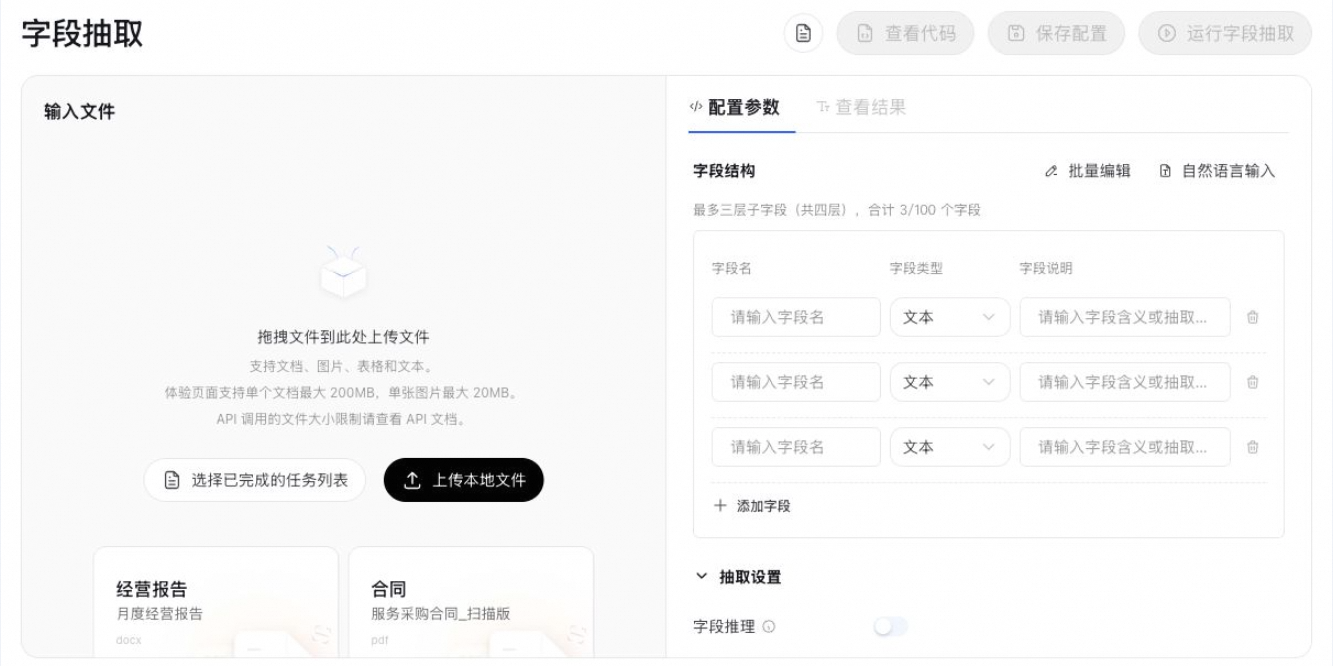
Check the Results Item by Item
Wait for processing to complete, then compare the run results against the original document and your expectations, checking content completeness, structural accuracy, extraction accuracy, and other information.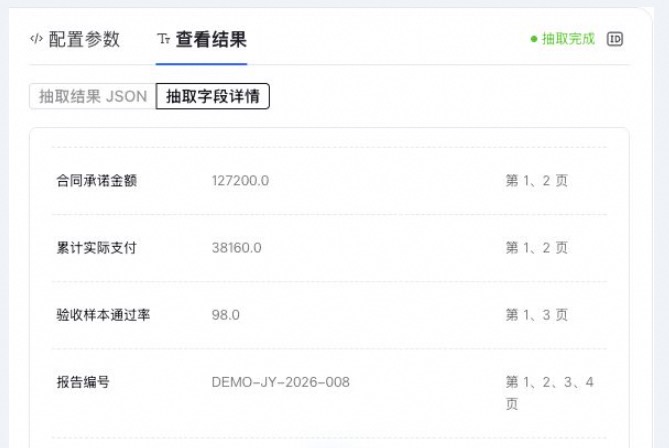
Save the Configuration (Optional)
You can save the configured parsing/extraction settings as a configuration on the playground page, generating a unique
config_id for API calls.Call with the Saved Configuration or Parameters
The API can be called with the same
config_id, or you can freely pass parsing/extraction configuration parameters to run tasks.View Tasks
For console operations, you can view the status, results, and usage provided by the page in "Task Records". You can also poll processing status through the result API using
biz_id.