

Entry point for multi-knowledge-base aggregated Q&A experience
The Playground is an interactive debugging panel for knowledge bases. Select one or more knowledge bases, enter a question, and instantly view retrieval results and model-generated answers.
Knowledge-based Q&A consumes free quota or incurs pay-as-you-go charges.
Features
| Feature | Description |
|---|---|
| Retrieval / Q&A Toggle | Toggle between Knowledge Q&A (retrieval followed by LLM-generated natural language answers) and Knowledge Retrieval (returns only relevant chunks, no generation) at the top |
| Model Switching | Supports Qwen-series models; enables side-by-side comparison of generation quality |
| Citation Highlighting | Answers include source citations (e.g., [1], [2]); click to expand and navigate to the original chunk |
| Knowledge Source Visualization | Displays matched document cards and data source counts |
Usage Steps
1
Enter the Playground
Log in to the console and navigate to the Playground.
2
Select a Knowledge Base
Click on a knowledge base card from the list.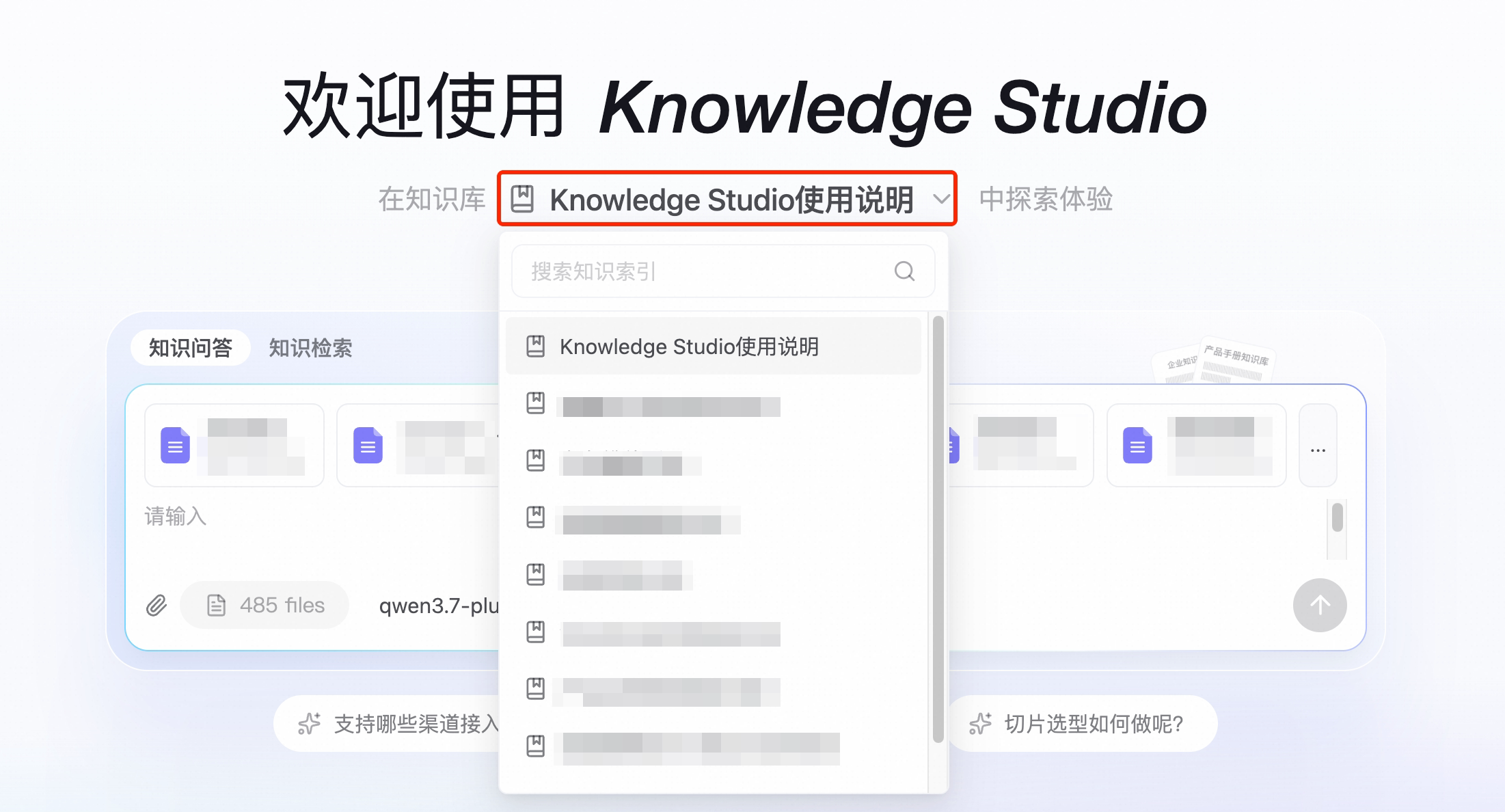
3
Choose Retrieval or Q&A Mode
Toggle at the top between Knowledge Q&A (retrieval followed by natural language answer generation) and Knowledge Retrieval (returns only a list of relevant chunks).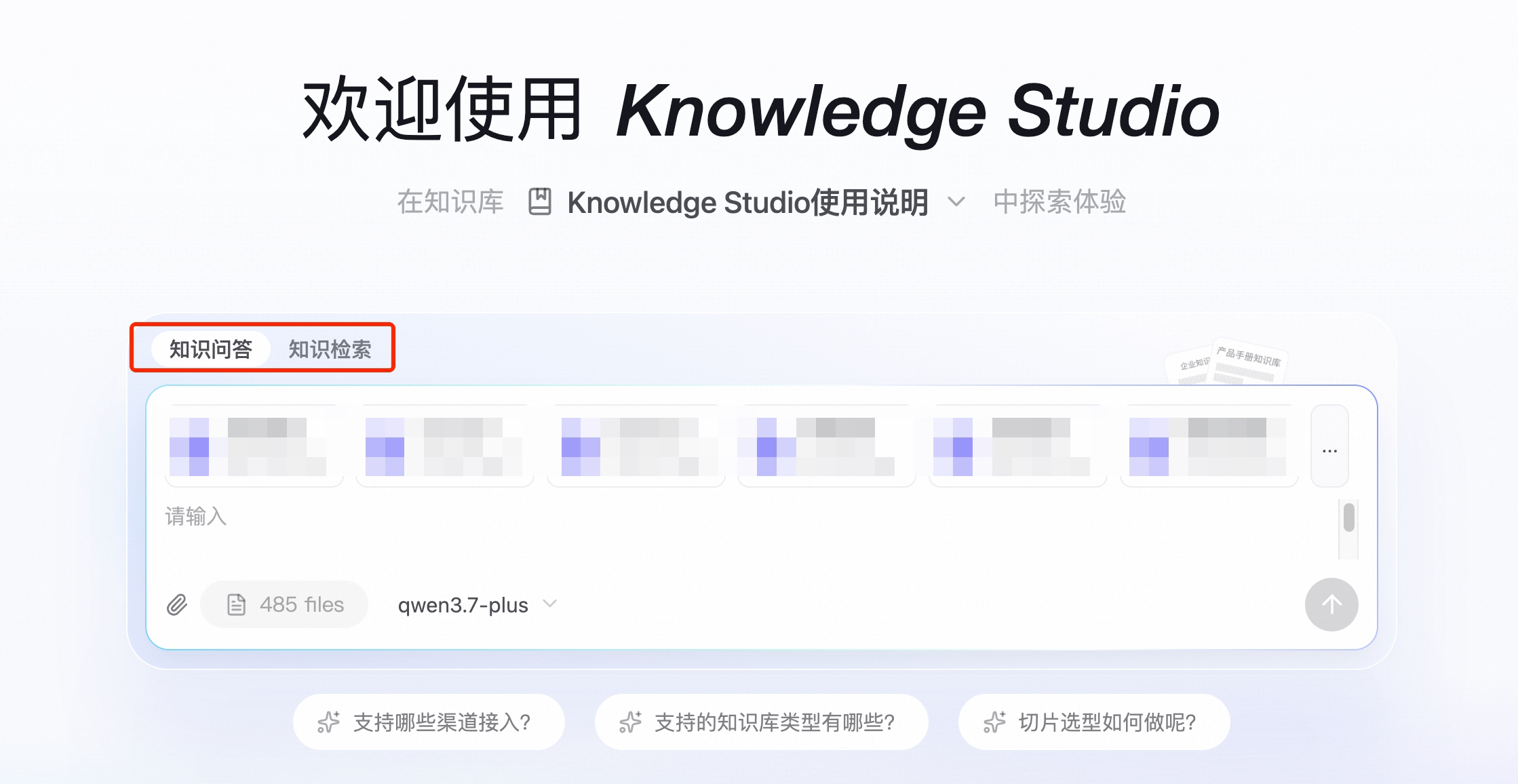
4
Enter Your Question
Type your question into the input box at the bottom and press Enter to submit. The system first retrieves relevant chunks, then invokes the large language model to generate an answer.
5
View Results
The results area displays: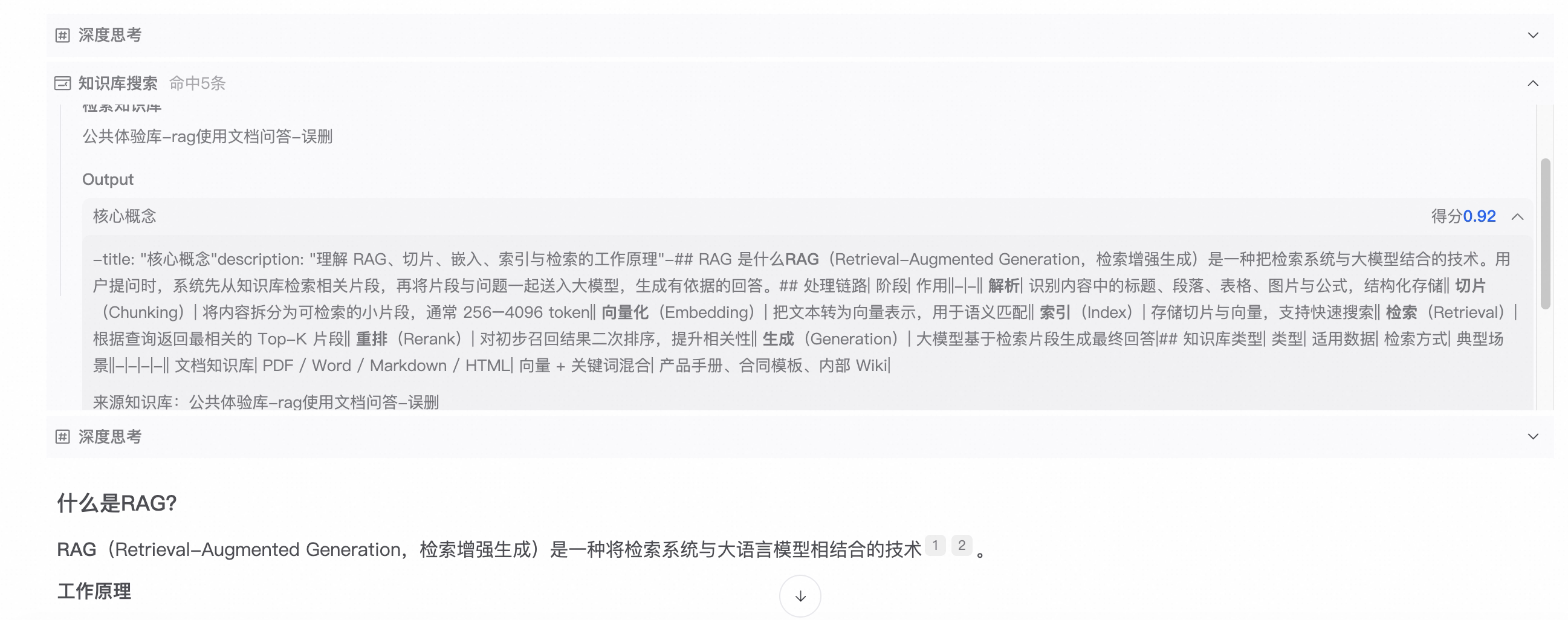
- The model-generated answer text
- Citation markers (e.g., [1], [2]); click to expand the original text
- A list of retrieved chunks with relevance scores
Best Practices
- Chunk Quality Check: Examine whether returned chunks contain correct answers. If recall is low, refine your chunking strategy.
- Model Comparison: Switch among different Qwen models to compare answer quality and select the one best suited to your use case.
Differences from the Knowledge Base Detail Page
| Entry Point | Use Case |
|---|---|
| Playground | Quickly validate retrieval and Q&A performance across one or more knowledge bases |
| Knowledge Base Detail Page → Knowledge Retrieval | Perform recall testing on a single knowledge base |
| Knowledge Base Detail Page → Knowledge Q&A | Perform Q&A testing on a single knowledge base |